
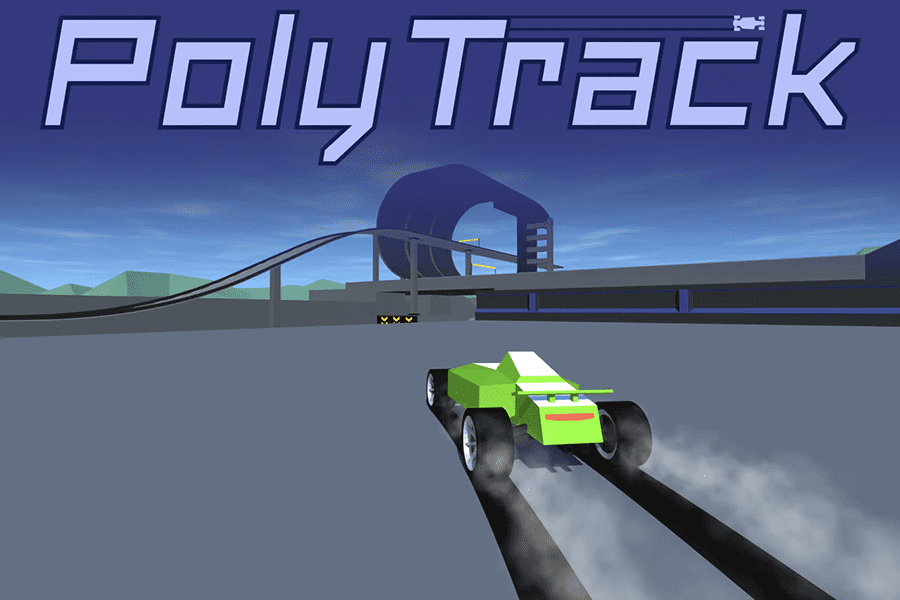
PolyTrack is a fast-paced low-poly racing game where you build custom tracks, customize your car, and race against the clock. Inspired by TrackMania, it blends creative track-building with precision time-trial racing, giving you full control over both the ride and the road.
Design your own courses, master challenging loops and jumps, and chase personal bests or leaderboard ghosts created by real players. Every millisecond matters, and every track you build pushes your racing skills further.
How to Play PolyTrack
Start with a premade track or build your own using the in-game editor. Add ramps, curves, slopes, and obstacles to shape your perfect course. Once your track is ready, select your car colors and dive into high-speed action.
Race to set your best lap time, challenge leaderboard players through ghost mode, or compete against your own previous runs. True mastery comes from designing tracks that demand precision and speed—then learning to conquer them.
Key Features
- Track builder: Create, customize, export, and share your own tracks.
- Ghost challenges: Race against real players or your past runs.
- Car customization: Adjust primary, secondary, frame, and rim colors.
- 47 total tracks:
- 15 Official tracks: 7 summer, 4 winter, 4 desert
- 32 Community tracks: 13 summer, 7 winter, 12 desert
- Fully cross-platform: Play on desktop and mobile browsers.
- Low-poly visuals: Fast, clean, and easy to read at high speeds.
Scenery changes by track season (summer, winter, desert), while driving physics stay consistent for competitive fairness.
Controls
Racing Controls
- WASD / Arrow keys: Drive
- Enter / R: Restart
Editor Controls
- Left-click: Build
- Right-click + drag: Move camera
- Middle mouse + drag: Rotate camera
- Scroll: Zoom
- Shift + scroll / ZC: Height up/down
- QE: Rotate camera
- R / Space: Rotate item
- X: Delete item
- T: Test drive
FAQ
How do you play PolyTrack?
Race on tracks you build or select premade ones. Improve your time, refine your track, and keep pushing for a better run.
Can you share custom tracks?
Yes. PolyTrack has an active community that shares design codes, track layouts, and creative building tips.





Leave a Reply